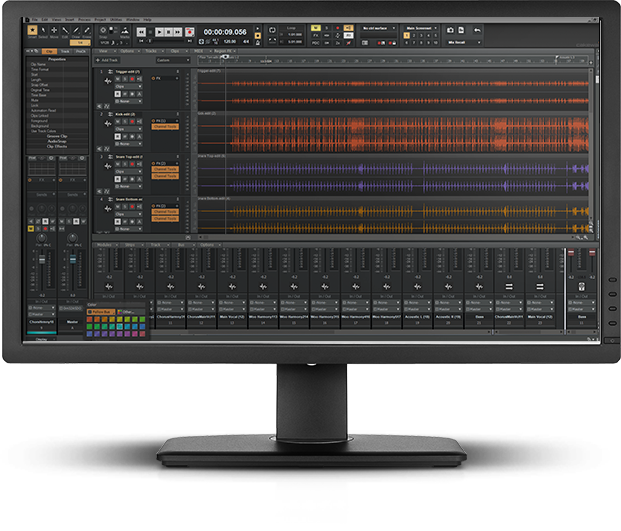
Вышел SONAR X1A Update
Исправлен ряд ошибок
SONAR X1A Update
The information in this article applies to:
- SONAR X1 Producer
- SONAR X1 Studio
- SONAR X1 Essential
General
- Simple Instrument Tracks can now be routed within the Track Pane
- Envelope nodes no longer get captured by mouse when dragged below a track boundary
- 'BounceBufSizeMsec' is now working properly, if you are experiencing slow bounce times see KB2007013213 for more information
- Inserted Instrument's data picker displays envelope recorded by previous synth
- Side chaining now works correctly with mono sources
- Addressed an issue where SONAR X1 would lose connection with some ASIO devices
- Bus waveform preview now works correctly regardless of the tab selected in the Multidock
- Help menu item for Cakewalk support is now pointing to the correct URL
- Fixed the following conditions which could cause SONAR to crash
- Drag & dropping after closing the Browser tab on Multidock.
- Entering a value twice in the Step Sequencer
- Adding a new synth to the project after writing automation
- Closing an open project after a dropout when two or more projects are open
- Adjusting ASIO buffer size on system with multiple Roland audio devices
- Multidock: Closed Views now remove their tabs if Multidock is collapsed
- Multidock: maximized state on 2nd display now persists with screenset
- Browser: in some cases would cause a crash if being undocked while out of focus
- Drag and drop to a blank space in the clips view now works correctly
- Drag and drop from a nested folder now works correctly
- Drag and drop from Browse to Instrument Track FX Bin now works correctly
- In some cases saving a FX Chain preset from the Inspector or Console would cause a crash
- Controls are now exposed to ACT
- Presets now load with enable button in the correct state
- UI is now graphically updated during live input
- Now behaves correctly when splitting an Instrument Track
- Gain knob is now visible on Instrument Tracks
- EQ: now persists correctly when compacted
- EQ: now loads at the same octave it was saved
- 4k Compressor: no longer crashes if side chain key input is a groove clip
- 4k Compressor: HPF is no longer always on
- 4K Compressor: Side Chain ON/OFF switch is no longer backwards when processing mono files
- 4k Compressor: HPF is now more accurate when side chained
- EQ plot in Essential and Studio is now editable
- Sonitus:fx EQ Pre/Post switch now works correctly
- It is now possible to move focus to the following via a keystroke:
- Inspector
- Browser
- Multidock
- New 'Accessibility' template with all views open as MDI windows and Track controls set to 'All'
- MIDI Meters in Inspector are now positioned correctly after selecting properties
- Corrected an issue where the inspector could become corrupted when deleting an instrument track
- Surround Panner now opens correctly on first launch
- The following commands have been removed:
- Show all Controllers from the Track view MIDI menu
- Compact Audio Data, for similar functionality use Utilities | Consolidate Project Audio
- 'Open synth rack' option from the Insert Soft Synth dialog now opens the Browser with the Synth Rack tab selected
- Version info now displays correctly
- Inspector now displays correctly when a track is routed to a side chain output
- Improved support for Japanese operating systems
- VST Plug-in Properties dialog box no longer throws an error message when dismissed
- Snap to Transients tooltip is now spelled correctly
- Most Menu Commands are missing from ACT Control Surface Plug-ins
- FX Chains cannot be Renamed or Extracted from Inspector or Console View
- Templates now have browser preview bus set correctly
- Templates now have the Audio Metronome Output is set correctly
- Electronic project template now has audio output
This download includes updates for all supported languages and operating systems and applies to both the 32 and 64-bit versions of SONAR X1. In order to install this update you must have SONAR X1 already installed on your computer.